
ELLA changelog
Teams & multi-user collaboration
Collaboration
ELLA now supports multi-user collaboration. You'll find a new Teams tab where you can manage the people involved in your engagements. From there, you can invite team members and collaborators via email, and they'll be guided through a simple onboarding flow to get set up. This is the first step toward shared workflows across your exit planning team, with more collaborative features being released in beta (see below).
We support four types of users:
Organization Admins: Admins have full access to all information in a client workspace and all functionality, including Sensemaking.
Outside Advisors: Outside advisors have access to all features, but only the data you share with them. You can scope their access to specific clients, Business Factors, or Deliverables.
Collaborators: Collaborators have access to the simplified interface described below. This interface is scoped to fact finding and deliverables, and collaborators only see what you share. This is useful if you need input or documents from a specific member of the advisory team (ie. a CPA), but don’t want to share full account access with them.
Business Owners: Business owners have the same access as collaborators above, but we’re working on additional functionality specific to engaging with business owners actively involved in the exit planning process.
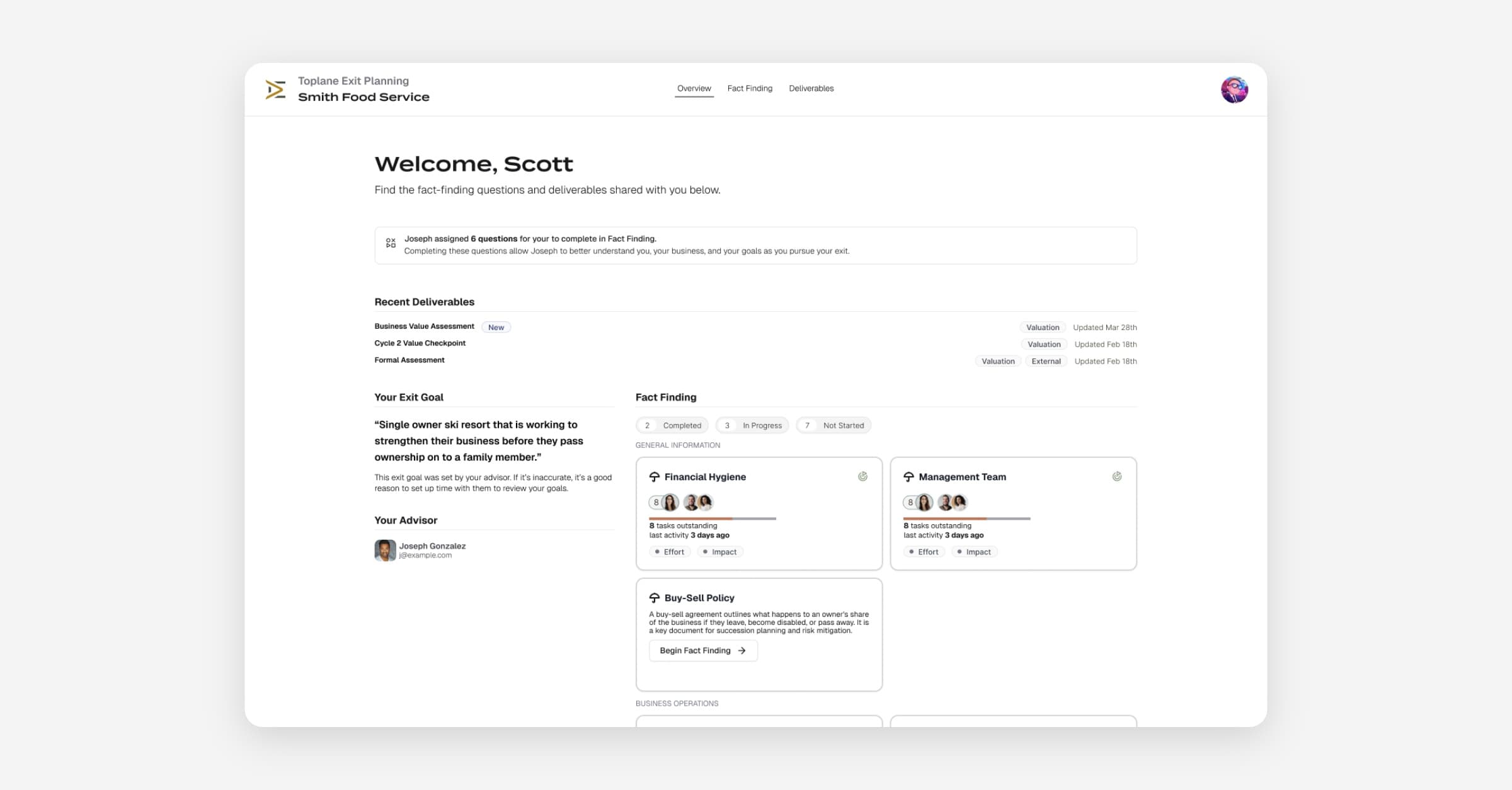
Our Collaborator Interface is now available in beta
We're introducing a dedicated interface for collaborators — those team members, clients, or other stakeholders who need access to specific parts of an engagement without seeing the full advisor workspace. Note: Collaborators don’t have access to sensemaking. That’s a benefit for you, as the advisor, to use exclusively.
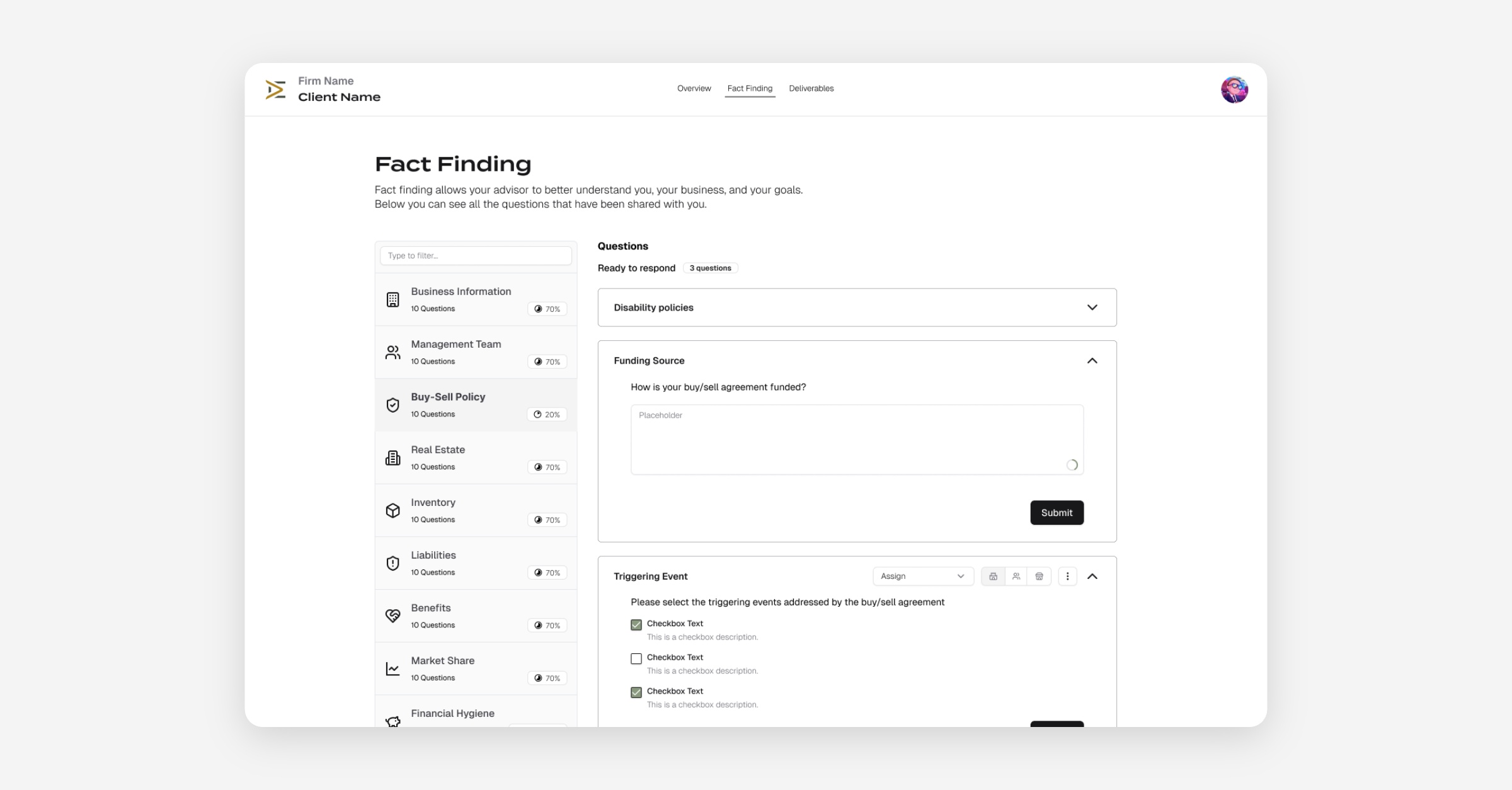
What's included
Deliverables. Collaborators can view deliverables that have been shared with them. A landing page highlighting the most recent and relevant materials
Fact Finding. You can share fact finding with collaborators. It’s up to you how much you share, or whether you share fact finding at all.
Scoped Access. Collaborators only see what's been explicitly shared, keeping advisor-side work private
Misc. Bug Fixes
We've made several improvements to the Deliverables editor, including smoother AI streaming with better scrolling and real-time response rendering. The editor has also received a CSS refactor for improved consistency and performance, and we've enhanced PDF export compatibility to support all new node types.
We've addressed a text input race condition in Fact Finding that could cause answers to be lost or overwritten when typing quickly, and improved the save queue for more reliable autosaving of answers, especially under unstable network conditions.
We've made improvements to our release pipeline to support more frequent releases with higher confidence.
We rewrote our onboarding sequence to improve stability and remove rate limiting issues that could cause timeouts during certain usage conditions.